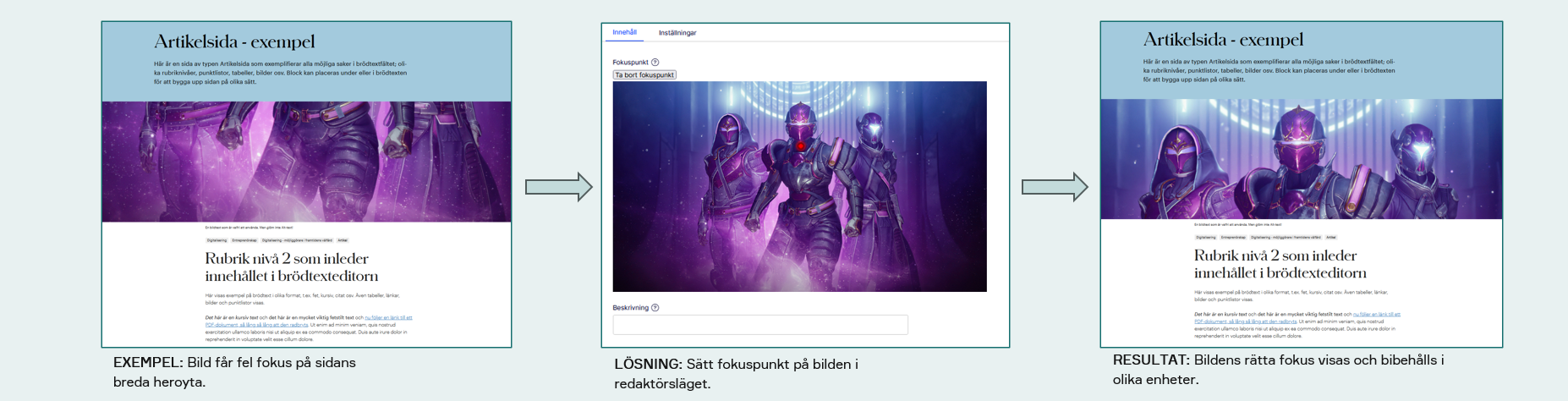
Image handling and focal point with “Responsive Images”
A plug-in called Responsive Images is used to set a focal point on an image. This means you, as an editor, usually don’t need to worry about specific image formats or creating multiple cropped versions.
This page explains how to work with images and focal points in practice. If you’re looking for Attendo’s editorial image guidelines instead, please go to that page. [if it exists?]
Setting a focal point on images
The Responsive Images plug-in lets you define the focal point of an image, so the most important part stays visible when the image is displayed in different formats and on different devices.
The plug-in automatically handles:
- Resolution optimization
- Scaling
- Focal point cropping/adaptation across devices (mobile, tablet, desktop)
All of this is done using one single image.
Focal points are set per image. To do this, open the image in Optimizely’s Assets pane, select the image, and choose Edit image.
[Lägg in exempel]
Example of the result